
Refunds
Learn about Dashbreeze's refund policy.

Everything related to invoices, payment methods, and your subscription's status lives in your workspace's Billing settings.
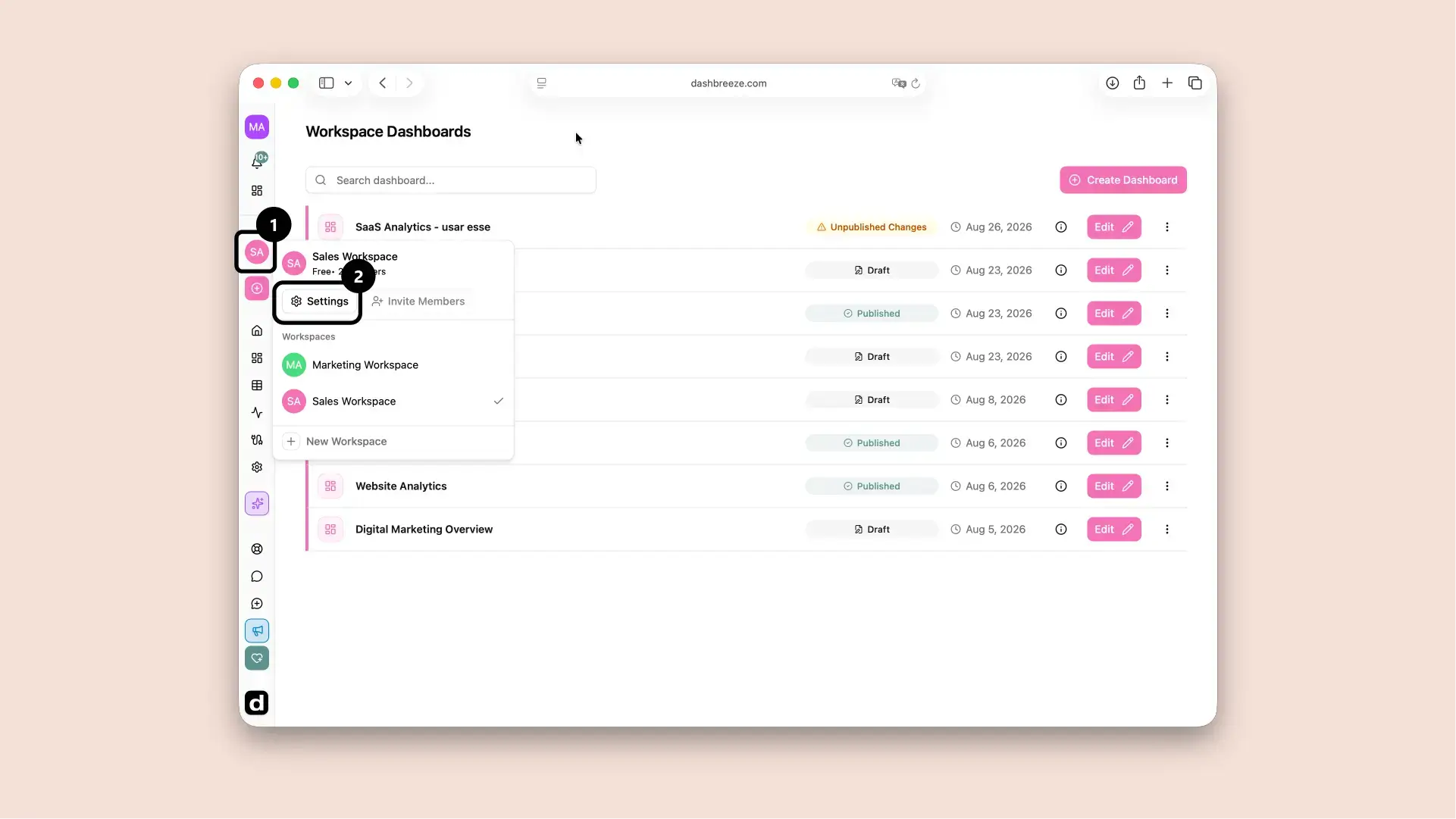
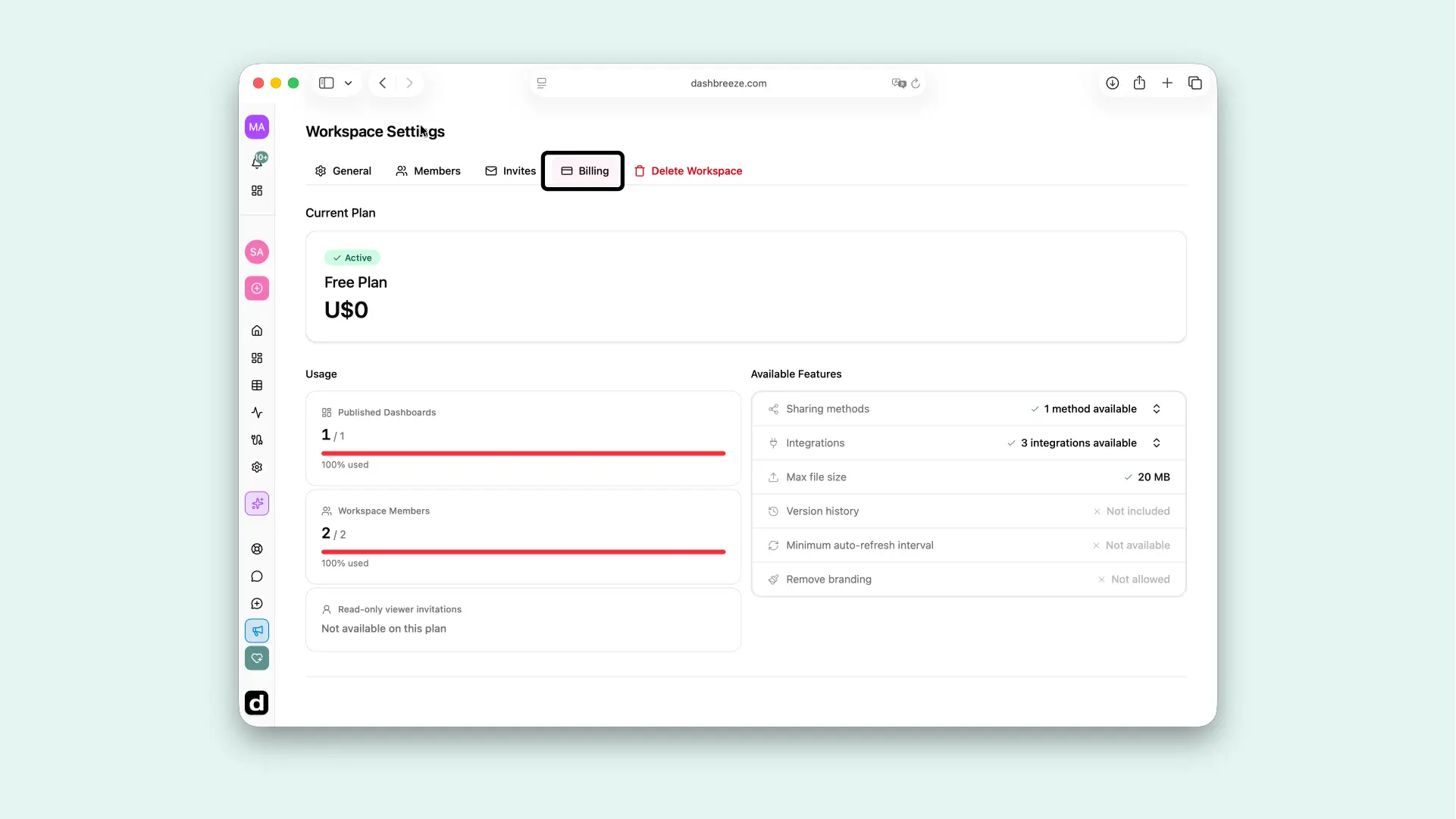
There you'll see your current plan, its usage against your plan's limits, and your subscription's status.
Your subscription can show one of a few statuses:
Invoices, receipts, and saved payment methods aren't shown inside Dashbreeze directly — they're managed through Stripe's secure billing portal. From the Billing tab, click Billing Portal to open it in a new window, where you can download past invoices, update your card, and change your billing address.
The same billing portal is also where you'd cancel your subscription — the Cancel plan link on the Billing tab opens it as well.
Billing Portal requires a paid plan:The Billing Portal button isn't available on the Free plan, since there's no subscription, invoices, or payment method to manage. Upgrade to a paid plan to access it.
The Billing tab shows usage bars for AI credits, published dashboards, workspace members, and read-only viewer invitations compared to your plan's limits, so you can see at a glance when you're approaching a limit and might want to upgrade.
AI-credit usage is estimated from model usage. Paid-plan credits reset at 00:00 UTC on the first day of each calendar month, including annual subscriptions. The Free plan uses a fixed one-year usage window; its reset date appears on the usage card.
Who can access billing:Only a workspace's Owner can open the billing portal or cancel a subscription. Admins and Members can view plan usage but not manage payment details.