



Billing
Understand invoices and billing cycles.


Every workspace in Dashbreeze runs on a plan that determines how many dashboards you can publish, how many people can join the workspace, and which integrations and sharing options are available.
You can move between plans at any time from your workspace's billing settings, and switch between monthly and annual billing to fit how you pay.
Dashbreeze offers a Free plan and three paid tiers — Starter, Business, and Professional. Each paid tier raises the limits on published dashboards, workspace members, and connected client accounts, and unlocks additional integration types and sharing methods.
Every plan also includes AI credits. Free comes with 100 credits that never renew. Starter includes 3,000 credits per month, Business 7,000, and Professional 20,000, and they renew every month.
14-day free trial:Starter, Business, and Professional all include a free trial, so you can try a paid plan's features before you're charged.
Annual billing is available on every paid plan and works out to roughly two months free compared to paying monthly.
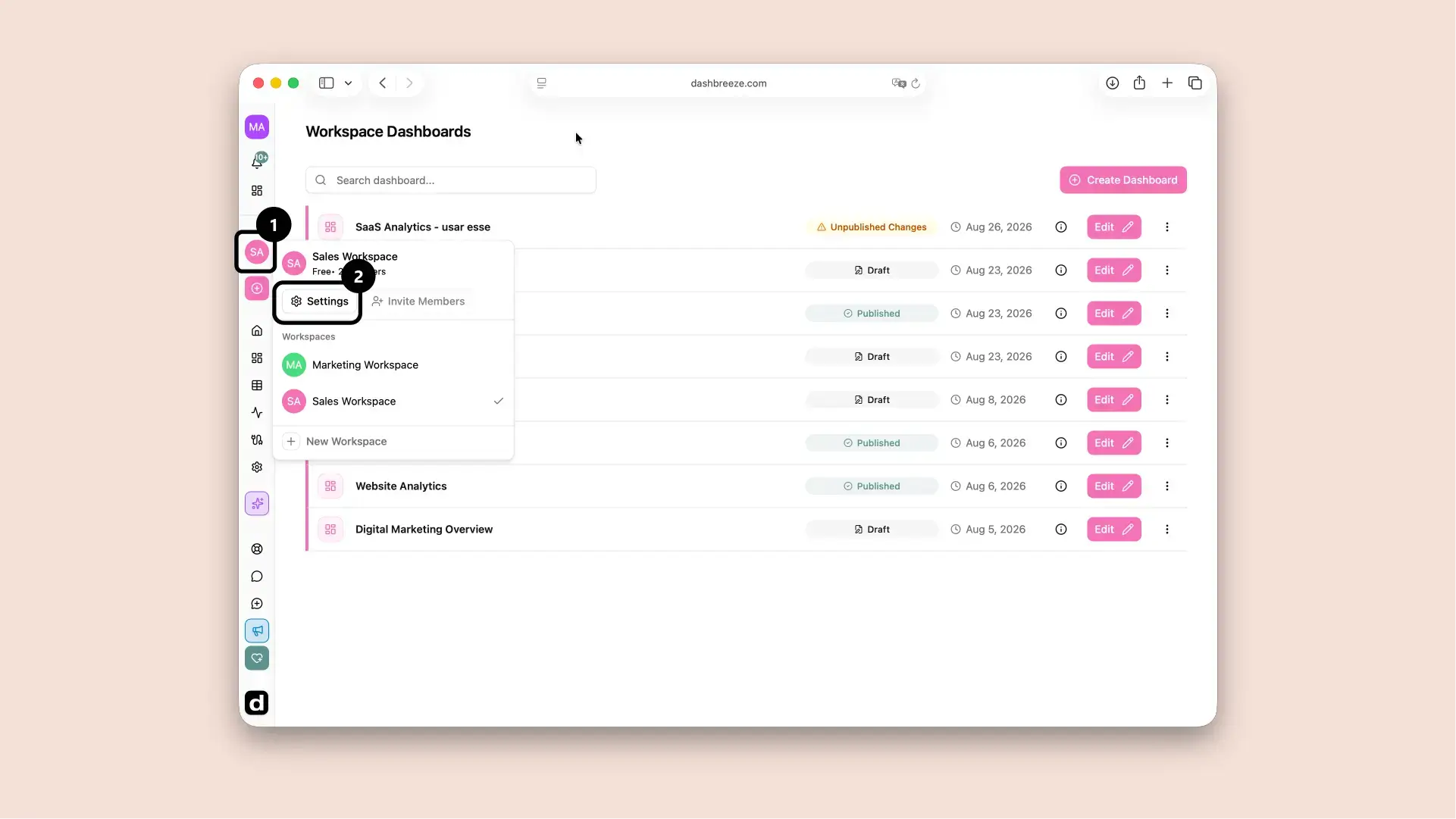
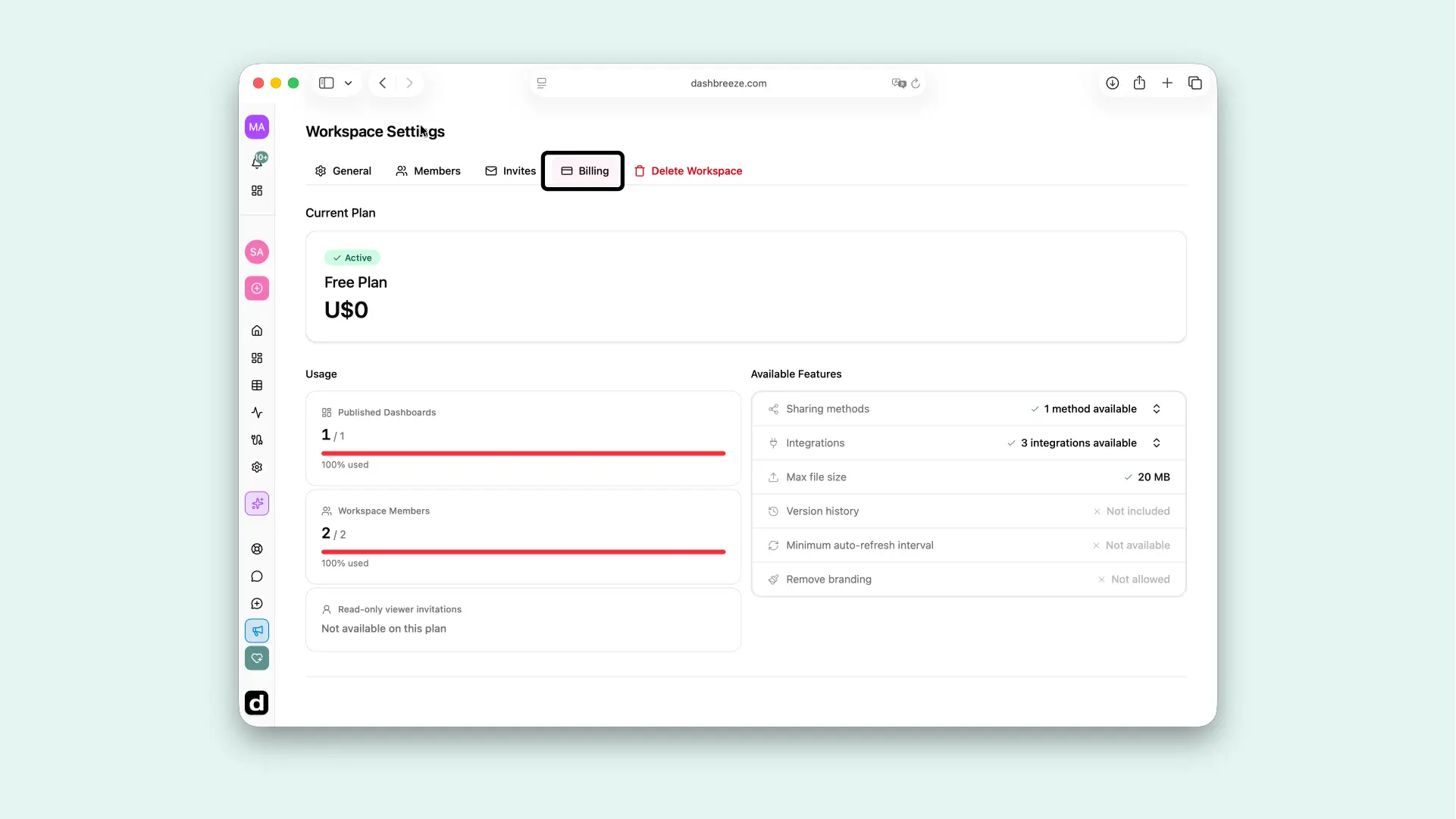
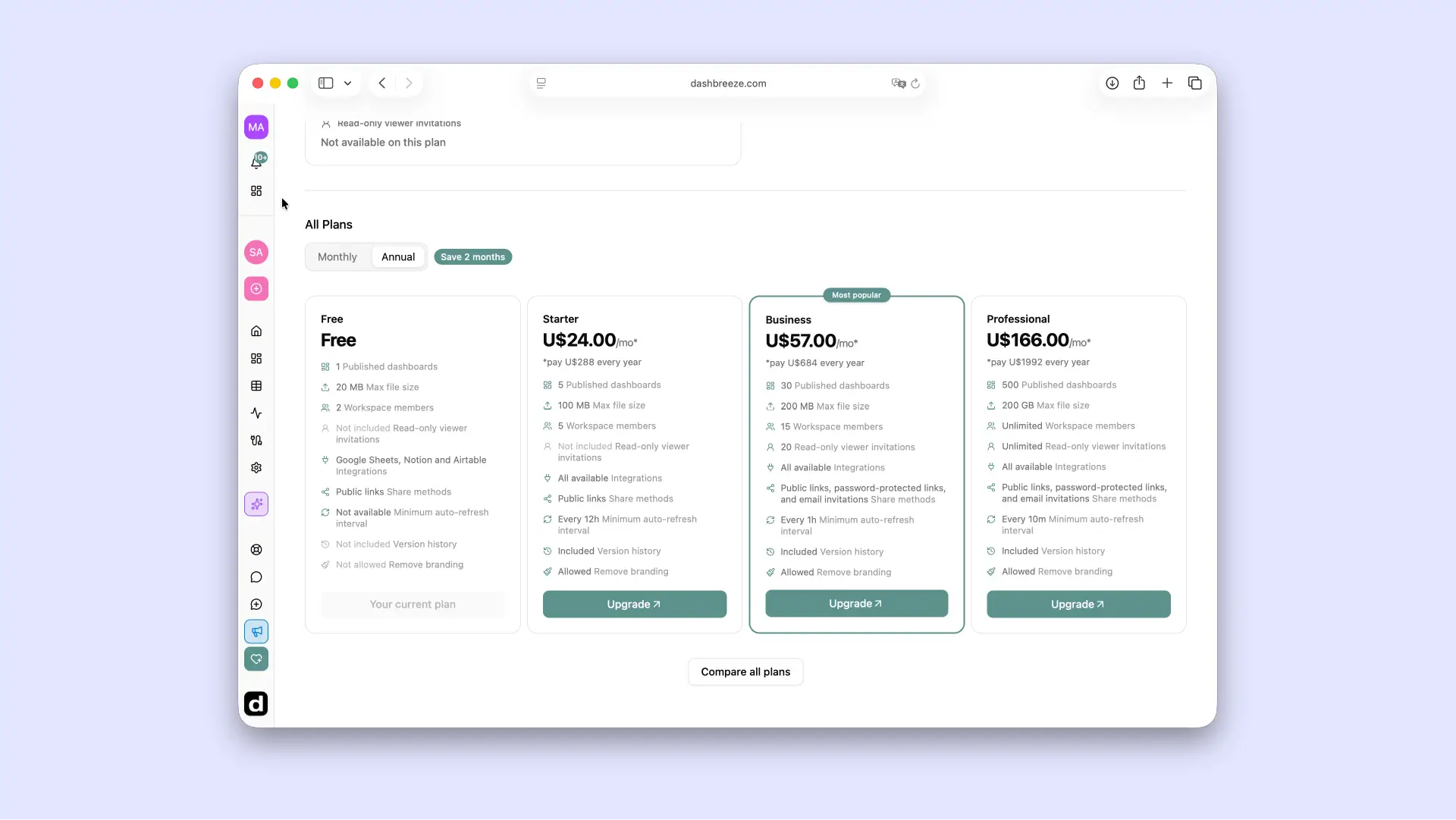
How to tell which plan is active:Your current plan is always shown with a disabled Your current plan button, so you can tell at a glance which plan is active.
Upgrades take effect immediately — you're charged a prorated amount for the rest of your current billing cycle and gain the new plan's limits right away.
Downgrades take effect at the end of your current billing cycle. You keep your existing plan's features and limits until then, so nothing is removed in the middle of a billing period.
Who can change the plan:Only a workspace's Owner can upgrade, downgrade, or otherwise manage its subscription. Admins and Members can view the current plan but can't change it.