

 Google Analytics 4
Turn your Google Analytics data into a dashboard worth sharing
Connect a Google Analytics 4 property and turn traffic, acquisition, and engagement reports into a functional, shareable dashboard — updated automatically, no exports required.
Synced from 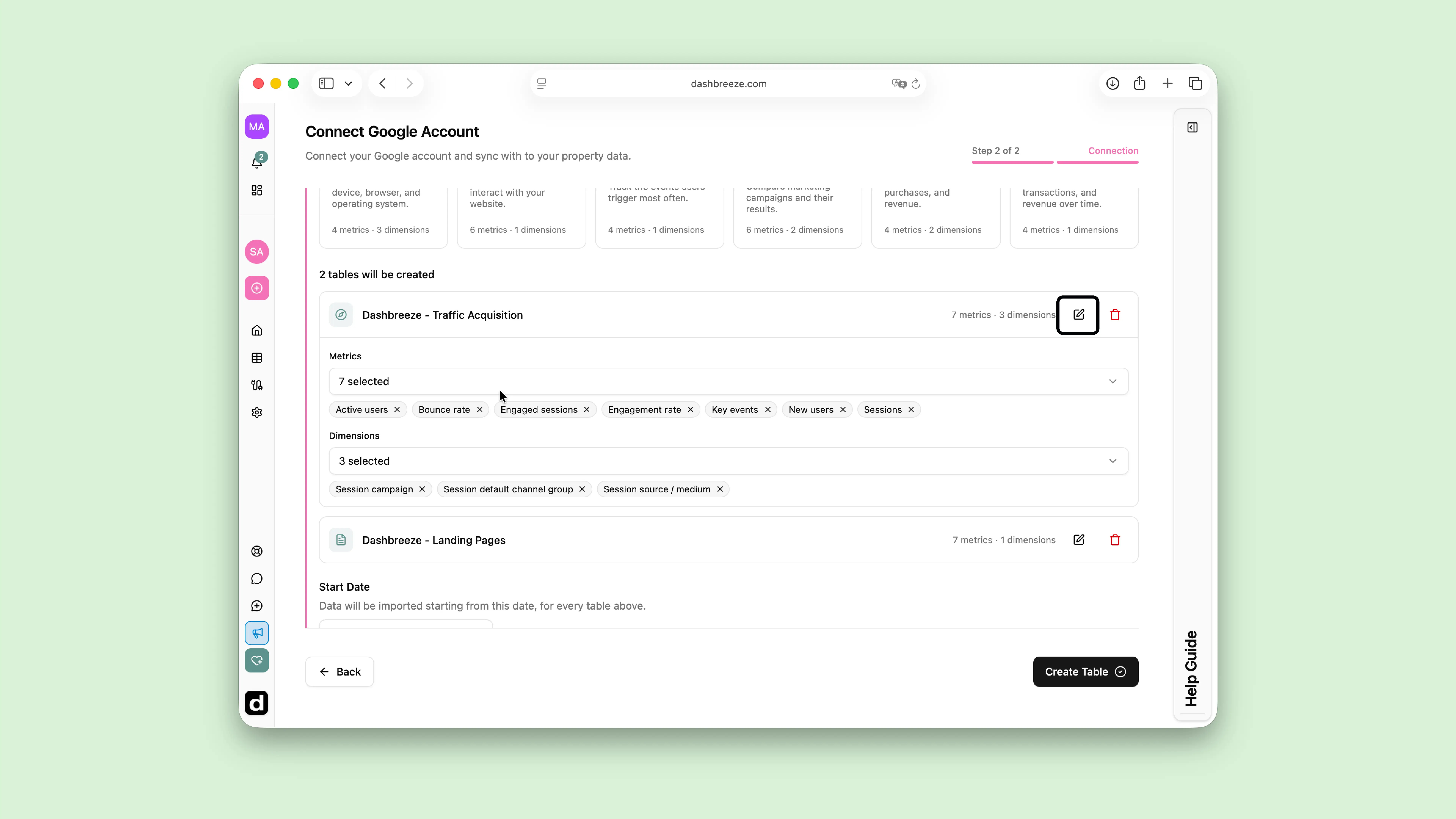
How it works
Up and running in a few minutes
Create a dashboard
Start a new dashboard and add the blocks you want to fill with data.
Connect Google Analytics
Sign in, approve access once, then pick a GA4 property and select ready-made presets or build a custom report.
Share it with the right people
Customize the design and share your dashboard with clients, teammates, or leadership.
Why it works
Built for teams already living in Google Analytics
Ready-made report presets
Start from presets like Traffic Overview, Acquisition, and E-commerce, or build your own from up to 10 metrics and 3 dimensions.
Always up to date
Google Analytics is a live connection. Sync manually whenever you want, or turn on automatic updates.
Combine with your other data
Blend Google Analytics with Google Sheets, Airtable, Notion, or files in the same dashboard for a complete picture.

Create dashboards you'llbe proud to share
Connect your data once, build the dashboard once — and everyone who needs it gets a professional view.
Frequently asked questions
Everything you need to know about the Google Analytics integration.
Still have questions?
Get in touch→