Dashbreeze logo

Deleting My Account

Deleting My Account - Permanently remove your account and data.

Permanently remove your account and data.

Deleting your account permanently removes your personal profile and login from Dashbreeze. Because this can't be undone, it isn't a self-serve action inside the app — it's handled by our support team.

Before you delete your account

If you're the Owner of any workspace, transfer ownership to another member or delete that workspace first.
How to request account deletion

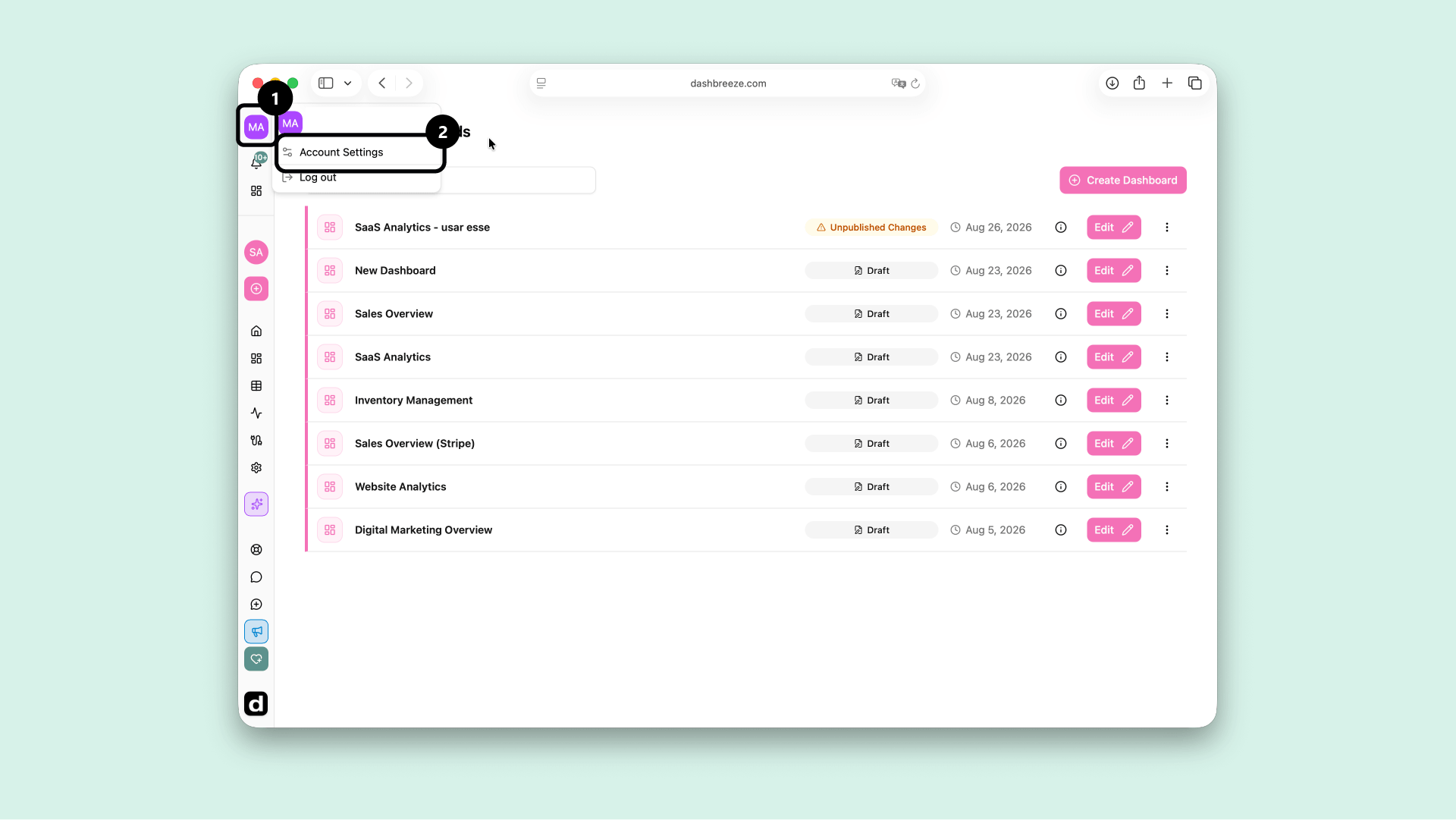
  1. Open the user menu in the top of the left sidebar and select Account Settings.
    User menu open in the left sidebar with Account Settings highlighted
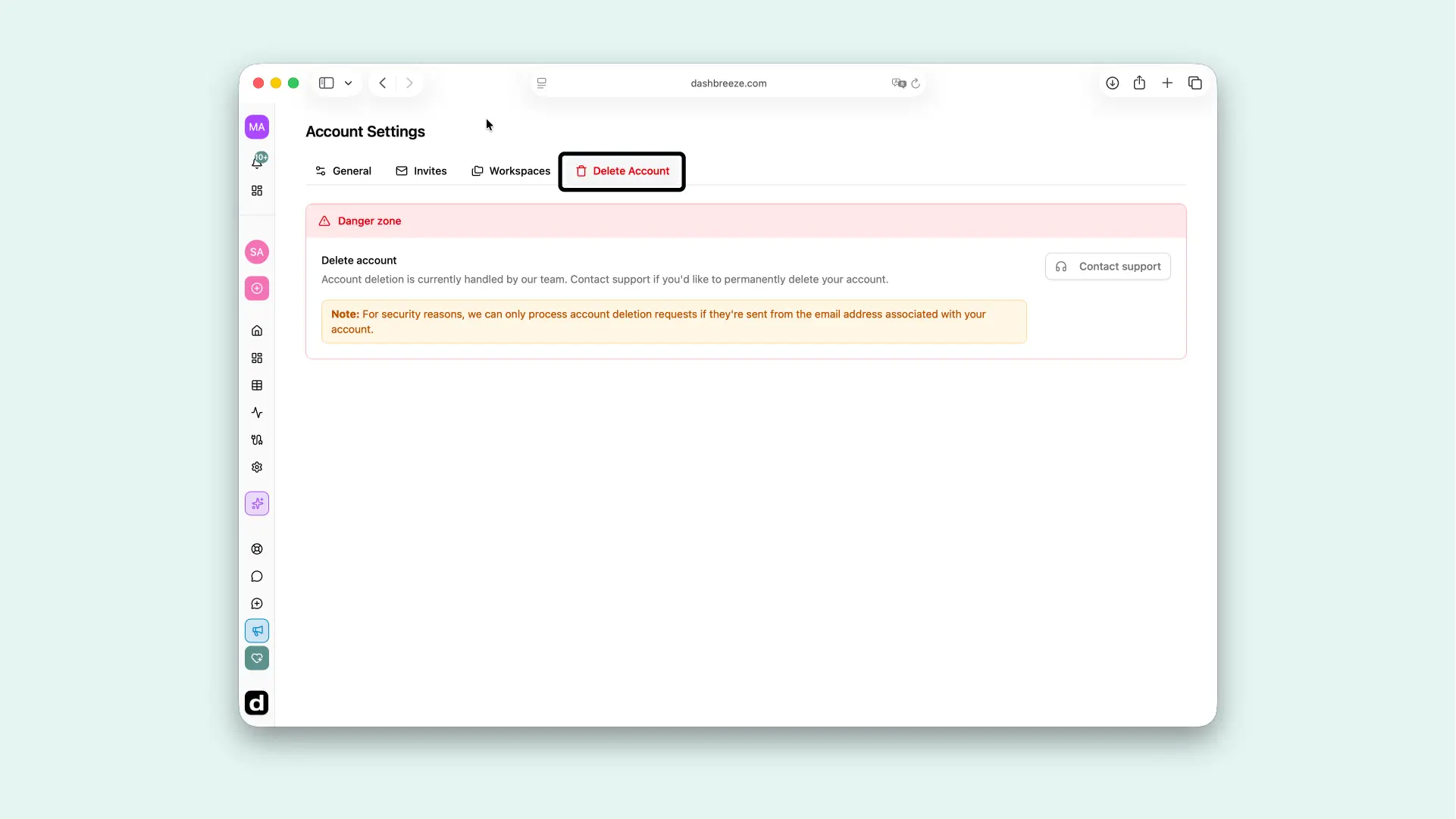
  2. Go to the Delete Account tab, then click Contact support in the Danger zone. This opens a pre-filled email to our support team requesting deletion.
    Account Settings Delete Account tab showing the Danger zone with a Delete account explanation and the Contact support button.
  3. Send the email, and our team will take it from there.

Send it from your account's email:For security, we only process deletion requests sent from the email address associated with the account being deleted.

Up Next