Dashbreeze logo

Notion

Notion - Import Notion data sources as tables for charts, metrics, and dashboards.

Import Notion data sources as tables for charts, metrics, and dashboards.

The Notion integration imports records from Notion data sources into Dashbreeze. Each data source you select becomes a separate table that you can transform and use in charts, metrics, and dashboards.

Important:Dashbreeze only reads the Notion data sources you authorize. It does not edit pages, properties, or records in Notion.
What do you need to connect Notion?

  • A Notion account
  • Access to the workspace and data source you want to import
  • Permission to share that data source with the Dashbreeze connection

How do you connect a Notion account?

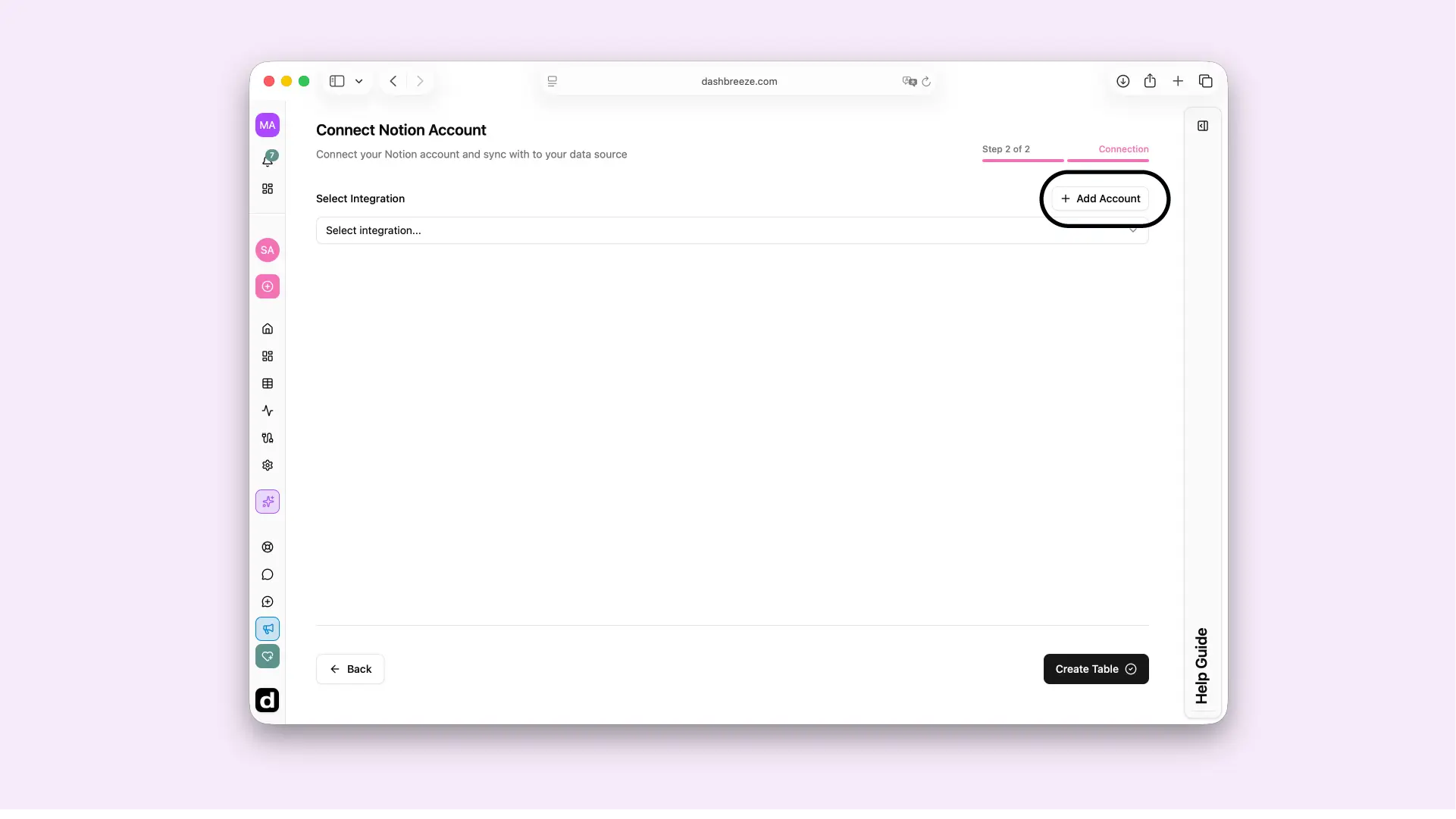
  1. Select Add Account.
  2. Give the connection a recognizable name and, optionally, a description.
  3. Sign in to Notion and share the pages or databases Dashbreeze may access.
Dashbreeze Notion connection screen with the Add Account button highlighted.

How do you select a Notion data source?

In Notion, a data source contains the pages and properties shown in a database view. Each data source you select becomes a separate Dashbreeze table.

Notion Data Sources

To learn more about Notion's data sources, see Data sources.
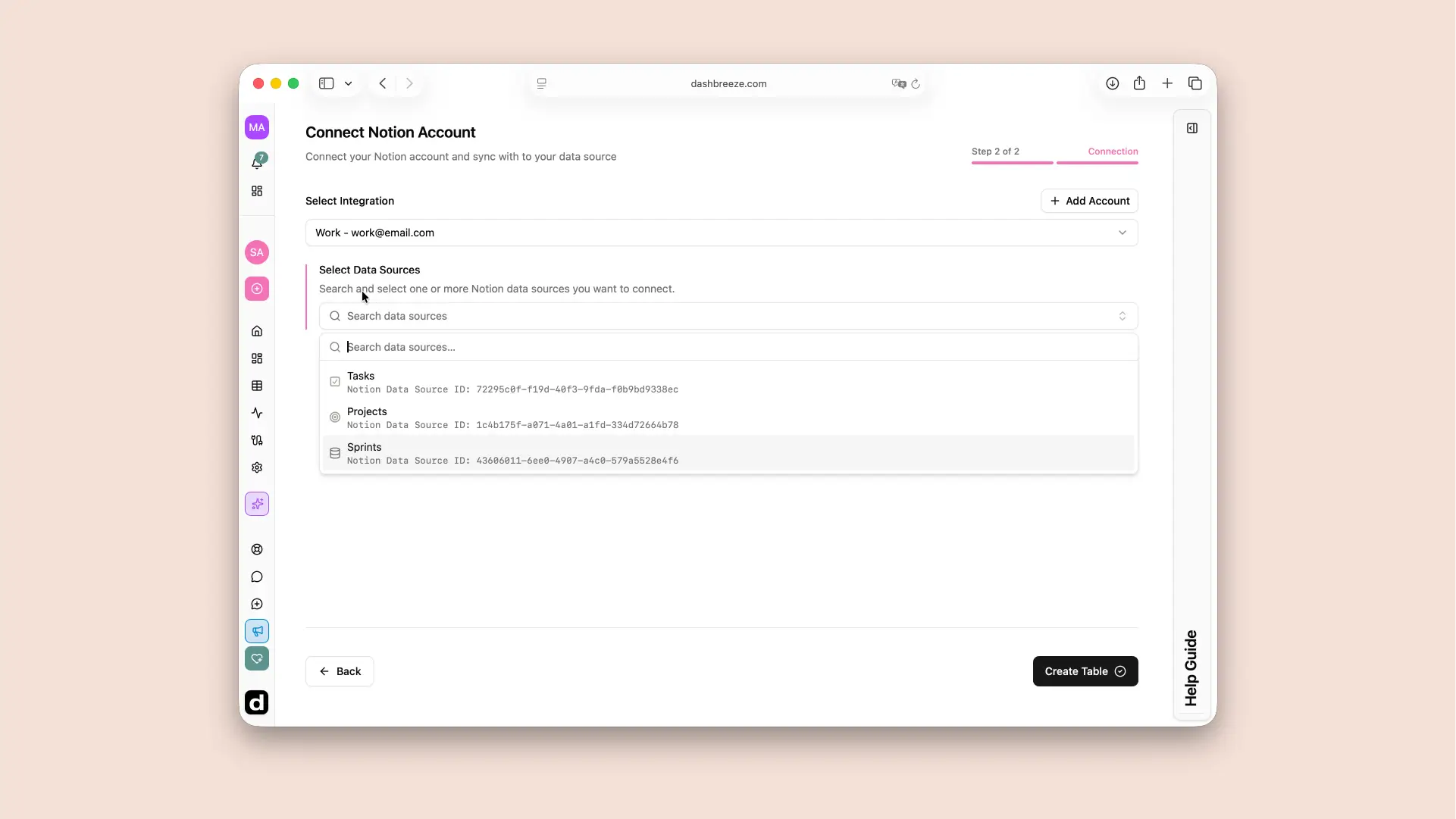
  1. Select the connected Notion account.
  2. Search for and select one or more data sources. Use the name and Notion Data Source ID to distinguish similar entries.
  3. Select Create Table to import the selected data sources.
Dashbreeze Notion table creation screen showing a connected account and a searchable list of data sources.

How should you prepare a Notion data source?

Give the data source and its properties clear, unique names. Keep each property consistent—for example, store dates in a Date property and amounts in a Number property. Consistent properties make dashboard filters and calculations more reliable.

How does Notion data stay updated?

Notion is a live connection. Open the imported table and use Sync Data for an immediate refresh, or enable automatic updates and choose a schedule.
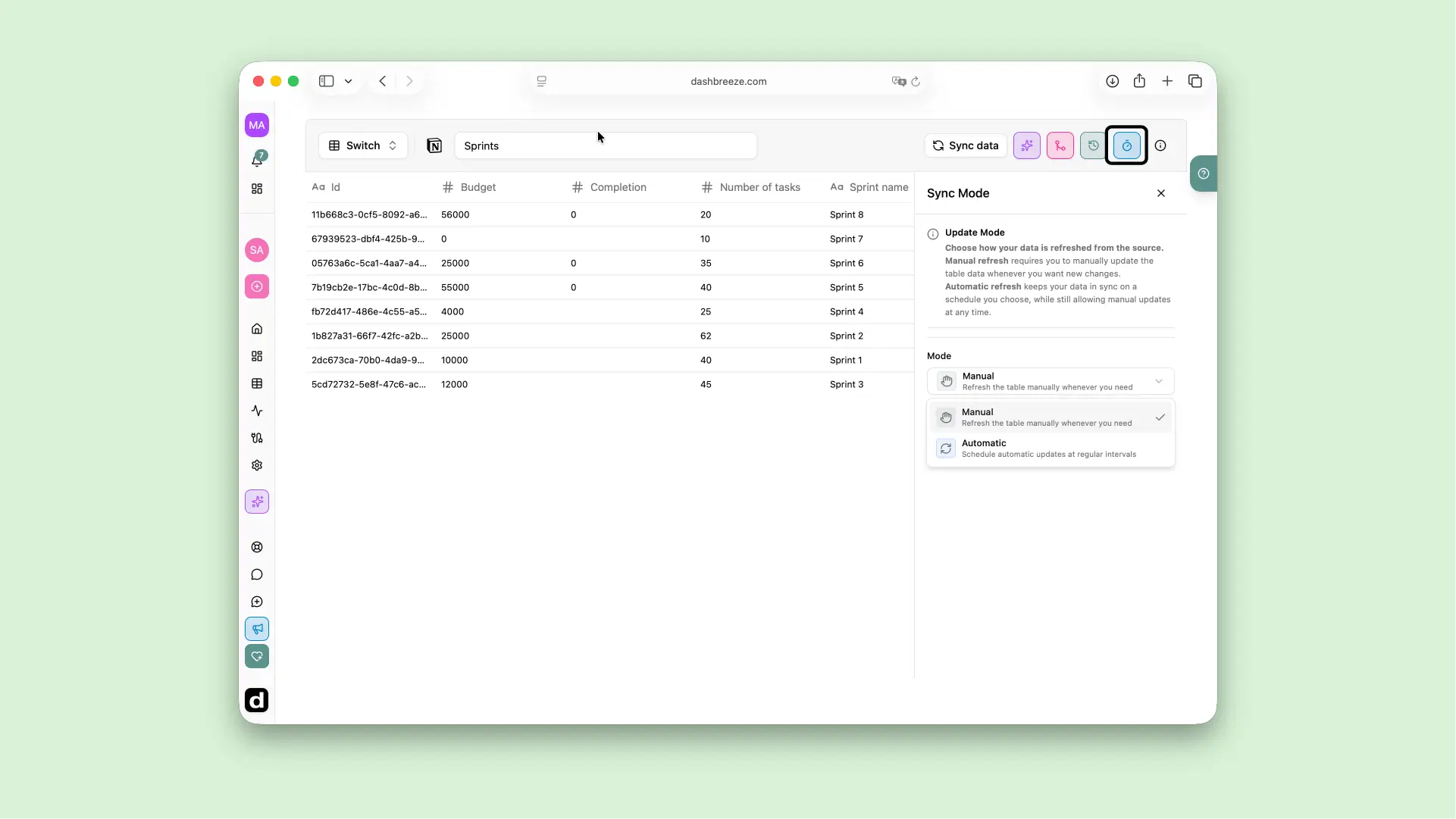
Dashbreeze Notion table showing the Sync Data button and manual or automatic update modes.

Common issues and how to fix them

Up Next