

Dashbreeze logo

Stripe

Stripe - Connect Stripe billing and payment data to Dashbreeze dashboards.

Connect Stripe billing and payment data to Dashbreeze dashboards.

The Stripe integration imports billing and payment data into Dashbreeze. You can turn Stripe customers, subscriptions, invoices, products, prices, events, coupons, or balance transactions into dashboard-ready tables without changing anything in Stripe.

Important:Dashbreeze reads the Stripe records you select. It does not create charges, refund payments, or change customers and subscriptions.
What do you need to connect Stripe?

  • A Stripe account containing the data you want to report on
  • A Stripe restricted API key with permission to read that data

How do you connect a Stripe account?

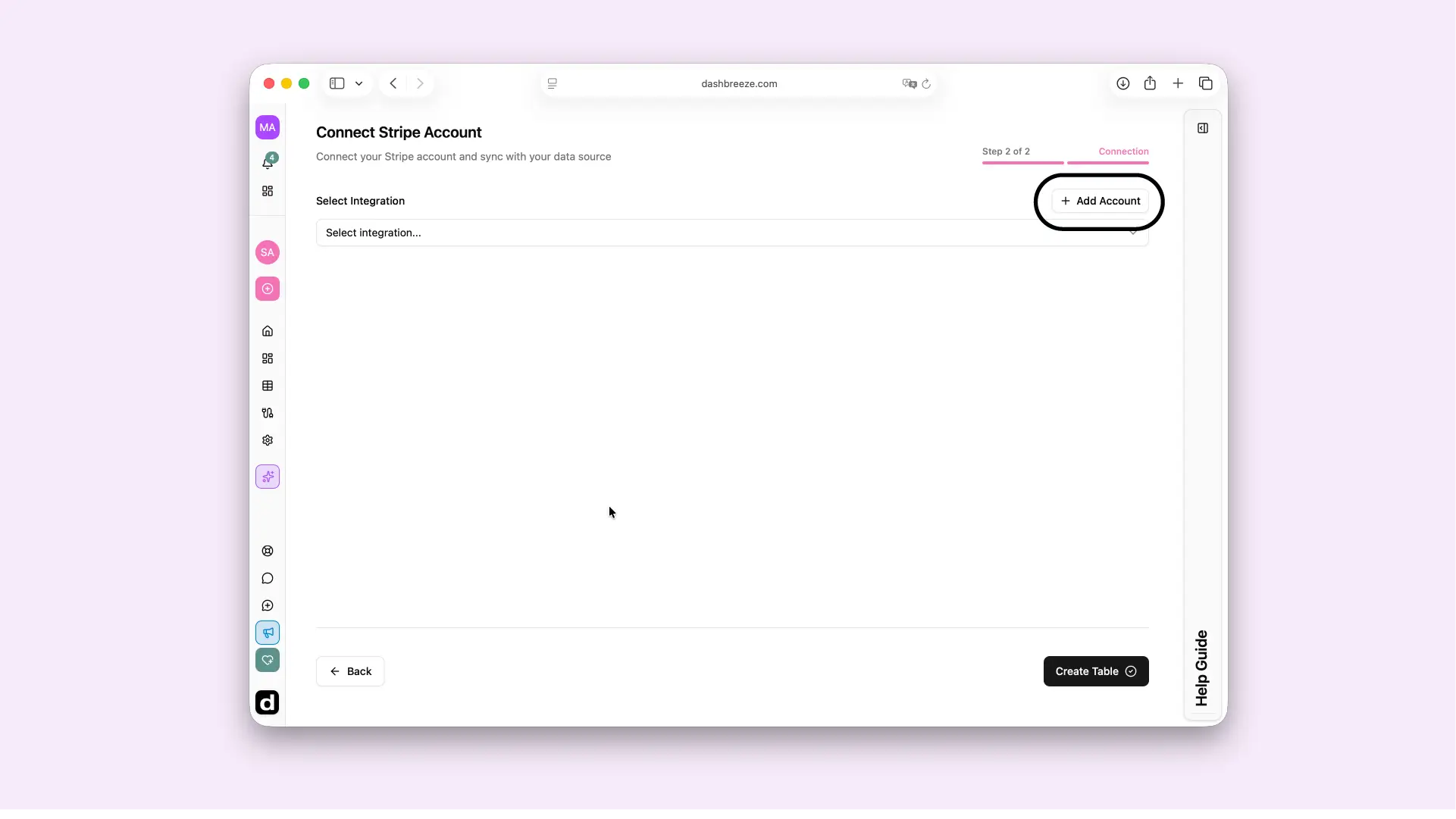
  1. Select Add Account from the Stripe table setup.
  2. Give the integration a recognizable name and, optionally, a description.
  3. Enter a Stripe restricted API key with read access.
Dashbreeze screen for creating a Stripe  integration and connecting your account.

How to create a restricted key in Stripe

  1. Open the Developers section.
  2. Click API keys.
  3. Go to Restricted keys.
  4. Click Create restricted key.
  5. Select Providing this key to a third-party integration.
  6. Give the key a name, such as Dashbreeze, and enter the Dashbreeze URL.
  7. Stripe generates the key with its recommended permissions by default. To change them, select Customize permissions for this key.
  8. Click Create key.
  9. Copy the Restricted Key.
  10. Return to Dashbreeze and paste the key into the Restricted Key field to complete the connection.

For Stripe's complete instructions, see Create a restricted API key in the Stripe documentation.
How do you import Stripe data?

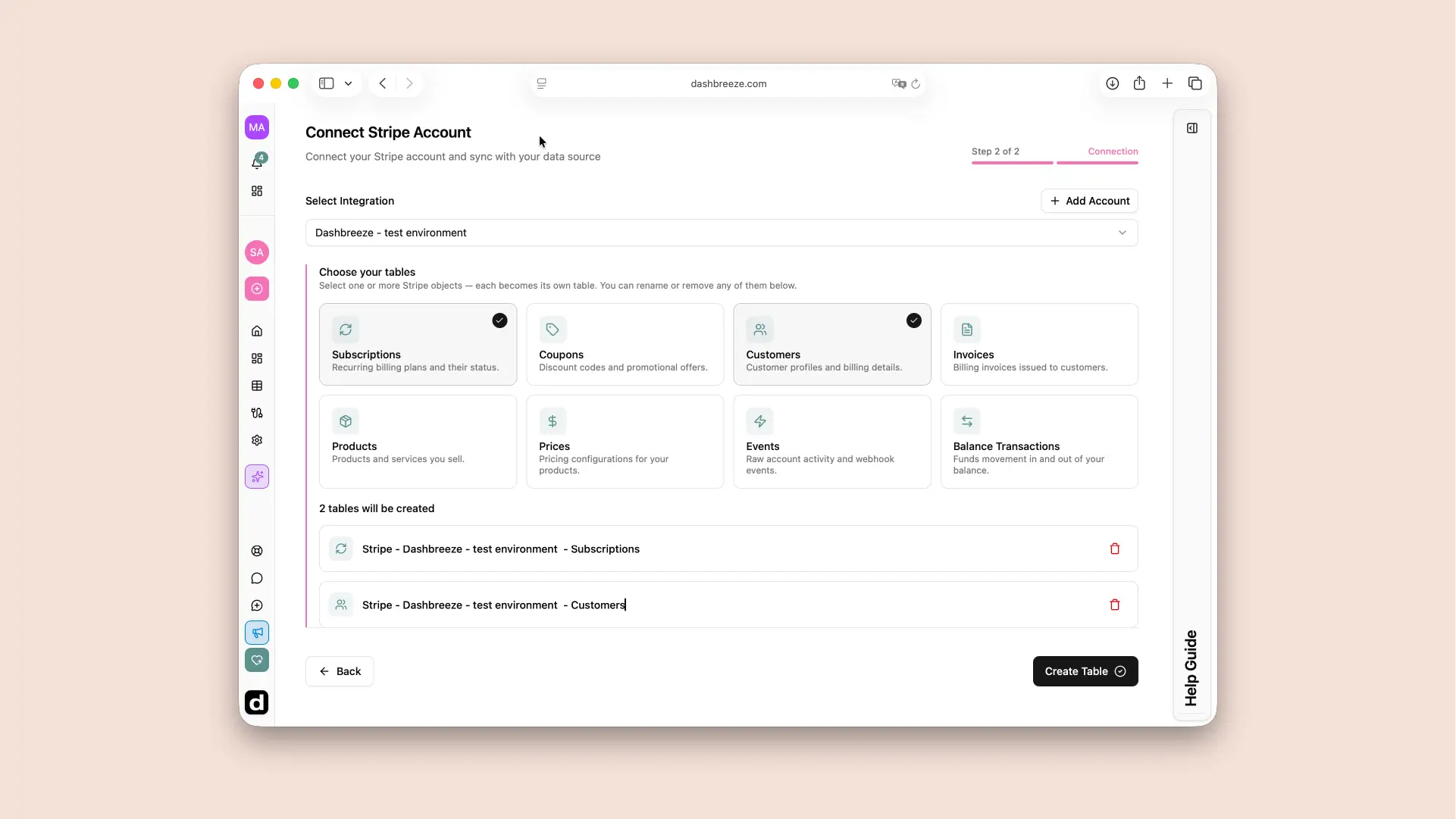
  1. Select an existing Stripe integration.
  2. Choose one or more tables. Table names are generated automatically.
  3. To import data from a specific period, select a date range. To import all available data, leave the date range blank.
  4. Select Create Table. Dashbreeze creates each selected table separately.
Dashbreeze Stripe table creation screen for selecting Stripe data tables and an optional date range.

Which Stripe data can you import?

Dashbreeze supports Subscriptions, Coupons, Customers, Invoices, Products, Prices, Events, and Balance Transactions. Choose the record type that answers your reporting question—for example, Invoices for billing status or Balance Transactions for money moving into and out of your Stripe balance.

How does Stripe data stay up to date?

Stripe is a live connection. Use Sync Data for an immediate refresh, or set an automatic update frequency for recurring reports. A refresh updates the Dashbreeze copy; it never writes back to Stripe.
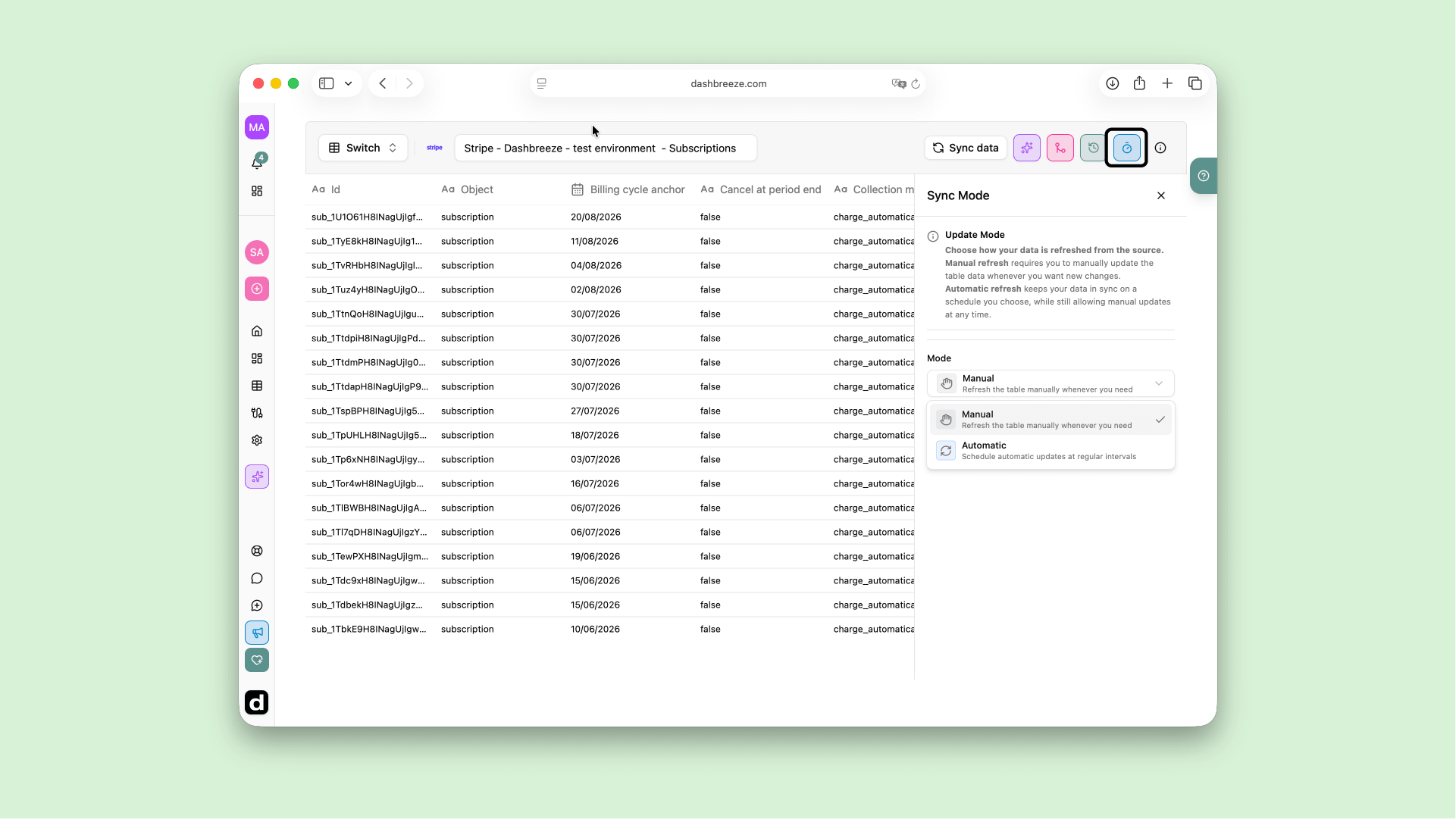
Dashbreeze Stripe table settings showing manual sync and automatic update options.

Common issues and how to fix them

Up Next